Website redesign SEO is the work of protecting your search rankings while you change your site’s design, structure or platform. The short answer: keep URLs where you can, redirect every URL that changes, keep your best content, and check everything before and after launch. Most traffic drops after a redesign come from missed redirects, deleted content or a staging setting left switched on.
Key takeaways
- Record your current traffic and top pages before you change anything.
- Keep existing URLs where possible; redirect the rest with 301s.
- Don’t delete pages that bring in traffic or leads.
- Block the staging site, then remove that block at launch.
- Expect some movement for a few weeks and keep redirects for 1+ year.

Why website redesign SEO matters: how a redesign can hurt rankings
A redesign hurts rankings when it changes the things Google relies on to understand and find your pages.
Google has learned which of your URLs answer which searches. If those URLs disappear, return errors, or lose the content that made them useful, Google has to start over. That can mean lower positions for months.
The most common causes we see are simple:
- Old URLs that now show a 404 page instead of redirecting
- Service or blog pages that were cut to “simplify” the menu
- Rewritten pages that lost the headings and details people searched for
- A noindex tag or password copied over from the staging site
- Slower pages because of heavy sliders, videos or page builder add-ons
The good news is that each of these is preventable with planning. Website redesign SEO is mostly about doing a few careful steps in the right order.
Step 1: Benchmark your current site before you start
Before any design work begins, save a snapshot of how your current site performs so you can compare after launch.
Good planning starts with data. In Google Search Console, export the Performance report for the last 12 months. Note your top pages, top search queries, clicks and impressions. In Google Analytics, note which pages drive form fills, calls or sales.
Next, get a full list of your current URLs. Pull it from your XML sitemap, your CMS and a crawler tool. Google’s guide to site moves with URL changes also suggests checking server logs, because old pages can still get visits even if they are no longer linked.
This is also a good moment to run a full audit using our technical SEO checklist. Fix known problems now so you don’t carry them into the new site.
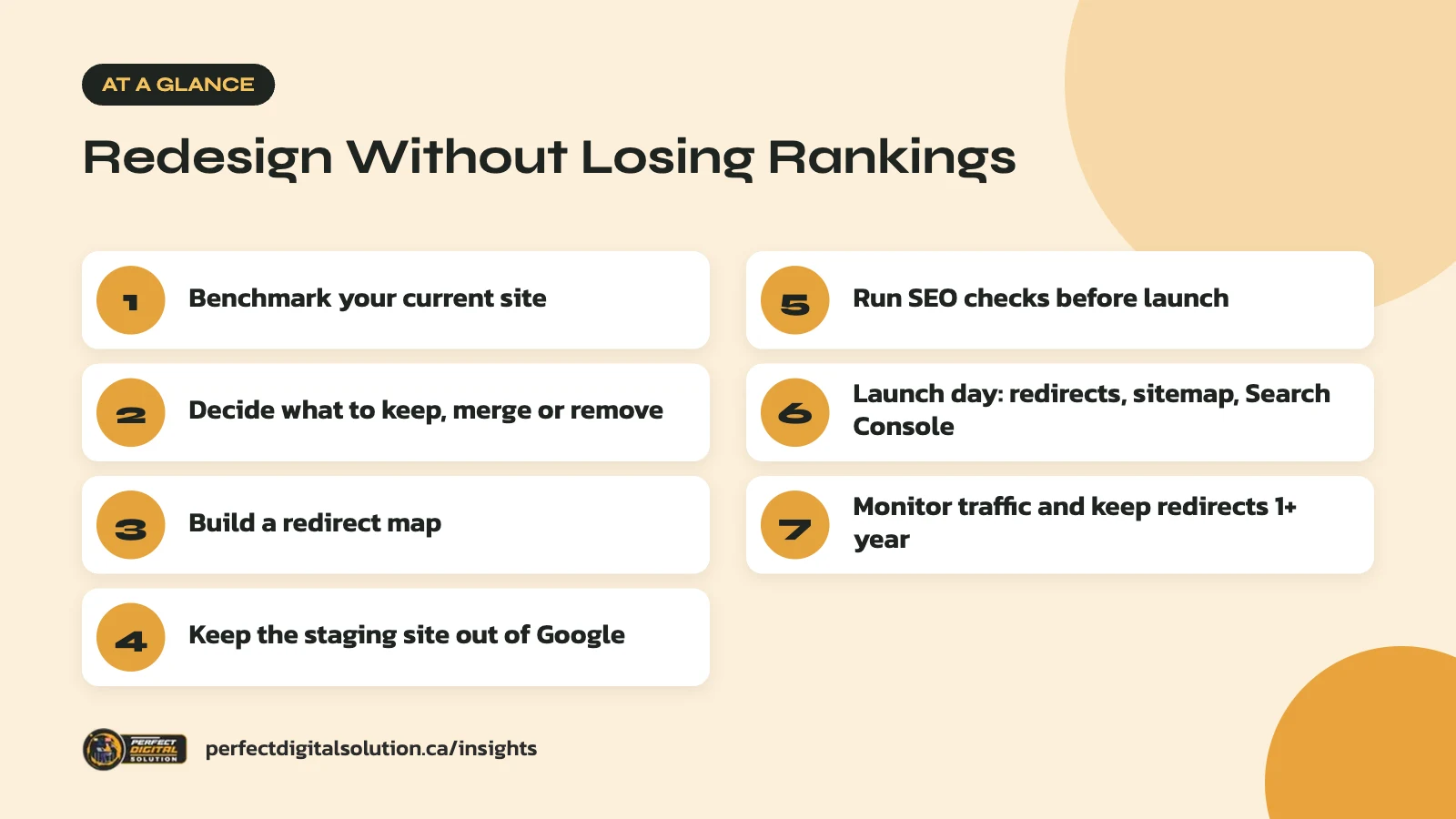
Step 2: Decide which content to keep, merge or remove
Keep any page that earns traffic, links or leads, and only remove pages that truly have no value.
Go through your URL list and give every page one of four labels:
- Keep: the page stays at the same URL with the same core content.
- Move: the page stays but gets a new URL.
- Merge: two or more thin or overlapping pages become one stronger page.
- Remove: the page is outdated and has no traffic, links or business value.
Be careful with “remove.” A blog post from a few years ago may still bring in steady search visits every month. In our experience, redesign teams often cut these pages because they don’t match the new look, then wonder where the traffic went.
When you rewrite pages, keep the topics, headings and details that matched what people searched for. A fresh design does not need fresh wording on every line. If you are still weighing scope and budget, our guide to what affects the cost of a business website in Canada explains how content work fits into a project.
Step 3: Build a redirect map for every changed URL
A redirect map is a simple spreadsheet that pairs every old URL with its new destination.
Google recommends server-side permanent redirects, such as 301 or 308, when a page has moved for good. Its redirects guide explains that permanent redirects tell Google the new URL should be shown in results, while temporary ones (302 or 307) usually keep the old URL in results.
| Old URL | New URL | Action |
|---|---|---|
| /our-services/plumbing/ | /services/plumbing/ | 301 redirect |
| /blog/winter-tips-2022/ | /blog/winter-plumbing-tips/ | Merge, then 301 |
| /about-us/ | /about-us/ | Keep, no redirect |
| /old-promo/ | /services/ | 301 to closest match |
Follow these rules when you build it:
- Point each old URL straight to its final page. Avoid chains like A to B to C.
- Redirect to the most relevant page, not just the homepage.
- Include images and PDFs that get search traffic or links.
- Update internal links on the new site so they point to new URLs directly.
Step 4: Keep the staging site out of Google
Your test site should be hidden from search engines while you build, and that block must be removed at launch.
The safest option is password protection, because it keeps out both people and crawlers. A noindex tag also works, but Google notes in its noindex guide that the page must not be blocked by robots.txt, or Google will never see the tag.
In WordPress, the setting “Discourage search engines from indexing this site” is often switched on during development. Put “turn off staging blocks” at the top of your launch checklist. It is one of the most common reasons a new site vanishes from Google.
Step 5: Run website redesign SEO checks before launch
Test the new site against your old one before it goes live, so you catch problems while they are still easy to fix.
Content and on-page checks
- Every kept page has a title tag, meta description and one clear H1.
- Important text is in the HTML, not hidden in images or sliders.
- Structured data, such as LocalBusiness or Product markup, is carried over and matches visible content.
- Canonical tags point to the new URLs, not the staging domain.
Technical checks
- Test the redirect map: every old URL should return a 301 to the correct page.
- Check mobile layouts on real phones, since Google uses the mobile version for ranking.
- Test speed on key templates such as the homepage, a service page and a blog post.
- Prepare a new XML sitemap that lists only the new, live URLs.
If you are also changing platforms, our comparison of WordPress vs Shopify covers how each one handles URLs and redirects.
Step 6: What to do on launch day
On launch day, switch on redirects, remove staging blocks and tell Google about the new site through Search Console.
- Put the redirects live at the same moment the new site goes live.
- Remove password protection, noindex tags and any robots.txt blocks.
- Submit the new XML sitemap in Search Console.
- Spot-check 20 to 30 old URLs, including your top pages, to confirm they redirect.
- Use the URL Inspection tool on your most important pages.
- If your domain is changing, for example from a .com to a .ca, use the Change of Address tool in Search Console for the old site.
Google says the Change of Address tool is only for domain or subdomain changes. You don’t need it for a move from HTTP to HTTPS or from www to non-www.
Step 7: Monitor rankings and traffic after launch
Watch Search Console and analytics closely for at least the first few months, and expect some short-term movement.
Google says that for a medium-sized site, it can take a few weeks or more before the new URLs fully replace the old ones in search. Larger sites can take longer. A small dip during that time is normal. A steep drop on key pages is a sign that something is broken.
Each week, compare your benchmark data with the new numbers. Check the Page indexing report for 404 errors and redirect errors. Look at which top pages lost clicks, then check their redirects, content and indexing status.
Keep your redirects in place for at least one year, as Google recommends. Many sites keep them permanently, since old links on other websites keep sending visitors for years. Good website redesign SEO doesn’t end at launch; it ends once traffic has settled at or above your old levels.
How Perfect Digital Solution can help
Our web design team plans redesigns with SEO built in from the first meeting, including content inventories, redirect maps and post-launch monitoring. If you want a second opinion on an existing redesign plan, our SEO services team can review it. Get in touch to talk about your project.
Related reading: Website Accessibility in Canada: What AODA and WCAG Mean for Your Business Site and WordPress 6.9 Is Here: What Business Website Owners Should Check. · Calgary website checklist
Frequently asked questions
Sources
- Site moves with URL changes – Google Search Central
- Redirects and Google Search – Google Search Central
- Block search indexing with noindex – Google Search Central
- Build and submit a sitemap – Google Search Central
- Mobile-first indexing best practices – Google Search Central
Written by the Perfect Digital Solution team. We use AI tools to support research and drafting, and every fact in this article is checked by our team against the sources listed above.